Other features
| Power LED |
Y |
| Wireless technology |
IEEE 802.11b/g/n |
| Compliance industry standards |
IEEE 802.3, IEEE 802.3u |
| Supported data transfer rates |
10, 11, 54, 100, 300 |
Performance
| Frequency band |
2.4 GHz |
| Number of users |
96 user(s) |
| Ethernet LAN data rates |
10, 100 Mbit/s |
| 2.4 GHz |
Y |
Additionally
| Ethernet LAN (RJ-45) ports quantity |
1 |
| AC adapter bundled |
Y |
| Transfer rate (Mbps) |
300 Mbit/s |
Wireless Access Point, 2.4GHz, IEEE 802.11b/g/n, 1 x 10/100 port Ethernet RJ45, 802.1x, 64/128 bits WEP, WPA, WPA2 Encryption, MAC Address Filtering, WDS, WMM, WPS
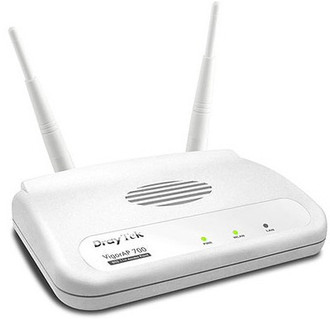
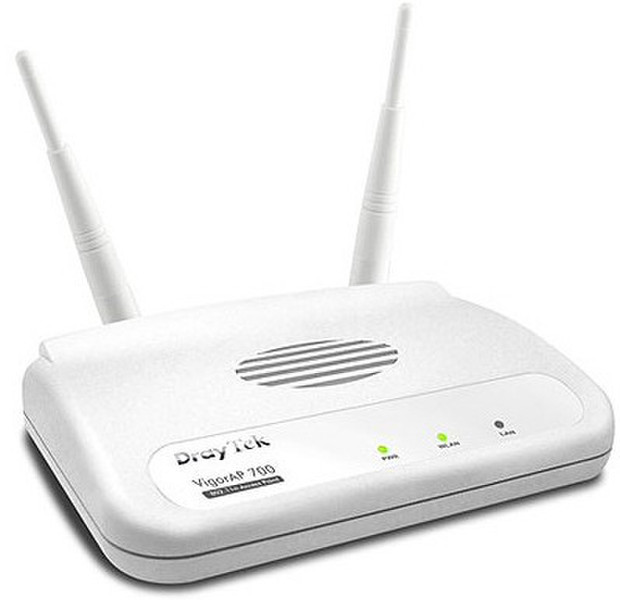
The DrayTek Vigor AP-700 is a standalone wireless access point, ideal for adding wireless connectivity to an existing LAN, or for expanding the range of an existing wireless LAN by using the WDS features.
As an access point, the Vigor AP-700 connects to your existing ethernet switch and wireless users (with laptops or other WiFi devices) can then connect to your LAN. You can restrict access to specific devices by locking in their hardware 'MAC address' and if you have a radius server, user access can be further limited requiring unique login using 802.1x authentication (MD5/PEAP mode).
Where you wish to provide wireless access over a larger area, or throughout a larger building, you could install several AP-700's, each wired back to your central network.
In addition, the AP-700 can operate in several other wireless modes:
- Access Point - Standard Operation, as described above.
- Universal Repeater - The AP-700 acts as both a wireless client and access point simultaneously, effectively increasing the range of an existing access point.
- Bridge - Using two AP-700's, each connected to a separate wired LAN, a wireless bridge can be formed connecting the two LANs. Ideal where a physical link (cable) isn't possible, for example, across a road.
- Station - The AP-700 acts as a wireless client to another wireless access point. Ideal for games consoles or PCs which need a self-contained 'intelligent' wireless interface with connectivity provided via their Ethernet point.
<b>Operation Mode Schematics</b>
The DrayTek AP-700 can act as a standalone wireless access point, ideal for adding wireless connectivity to an existing LAN but also operates in several other wireless modes:
<b>Bridge</b>
Two networks can be bridged where it is not possible to run cables, for example, across a road (assuming sites are within wireless range of each other). Both locations remain within the same IP subnet.
<b>Universal Repeater</b>
The AP-700 is placed within wireless range of another access point and can then extend the coverage of that network.
<b>Station</b>
Ideal for gaming consoles or other devices that need an ethernet connection to the network, Station mode makes the AP-700 act as a client to your main access point.
<b>Standard WDS</b>
<b>User Authentication</b>
For additional security, wireless access can be restricted to authorised users only by use of a unique username and password for each user. This is in addition the encryption provided by WEP/WPA etc. When the user first opens their wireless connection, the AP-700 will request their username/password and not permit access to the LAN or Internet without it.
The AP-700 can use an external radius server to hold user credentials but also has its own built-in radius server to store up to 96 users. The AP-700's built-in Radius server can also act as a server to additional devices (such as another AP-700, meaning that you don't need to set up the same users up on several units).
- 802.11n.
- Wireless Encryption : WEP, WPA, WPA2.
- 802/11b/g Backward Compatible.
- Repeater/Bridge/Access Point/Station Modes.
- Up to four distinct SSIDs (for VLANs).
- MAC Address Filtering.
- Radius User/WPA Authentication.
- 802.1x User Authentication.
- WDS (Wireless Distribution System).
- WMM (Wireless MultiMedia).
- WPS - WiFi Protected Setup.
- Built-in Site Surveyor.