Ports & interfaces
| Headphone outputs |
1 |
| Mouse port type |
USB |
| Keyboard port type |
USB |
| Number of computers controlled |
2 |
| Video port type |
DVI-I |
Additionally
| Wireless technologies |
Wired |
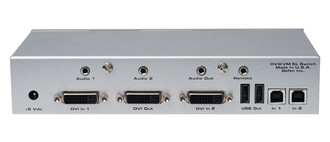
2 x DVI-I In, 2 x DVI-I Out, 1920 x 1200, 2 x USB2.0 A, 2 x USB2.0 B, 2 x Audio In, 1 x Audio Out, Bandwidth 165 MHz
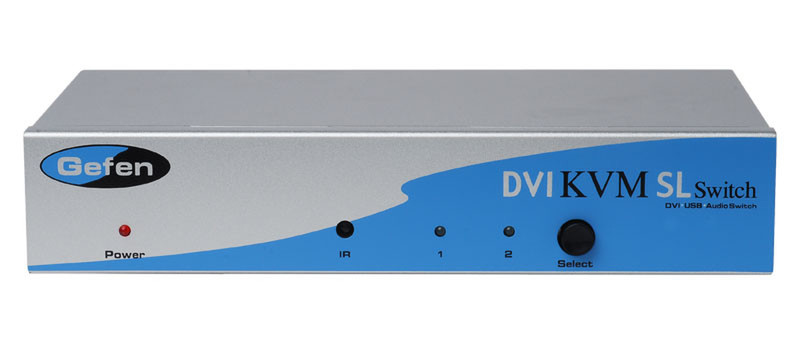
Switch Single Link DVI, USB 2.0 & Audio between Two Computers (PC or Mac)
This product has been replaced by the Gefen EXT-DVIKVM-241DL
The EXT-DVIKVM-241SL Switcher allows you to easily switch between two cross-platform DVI computers using just one DVI display and USB 2.0 keyboard and mouse. It's referred to as single link DVI to differentiate it from dual link DVI. Single link describes the standard use of DVI, capable of resolutions up to 1920x1200; dual link DVI describes the use of all 24 pins of the DVI connector to achieve resolutions up to 3840x2400. USB 2.0, also known as hi-speed USB, is the next generation of USB capable of sending data significantly quicker than before. Stereo audio is routed through along with the video to the display. Audio, video and control signals are "switched" for each computer upon selection, providing you with an easy and effective method of accessing two computers from one workstation without the hassle of networking. The DVI SL Switcher has automatic EQ circuitry built in that will improve the video quality when low quality DVI cables are connected to the switcher.
How It Works
You simply connect your DVI display and USB 2.0 keyboard/mouse to the Switcher's outputs. Then you connect both computers' DVI, USB and audio ports to the Switcher's inputs using the supplied cables. From there, you select the computer you want using the IR remote that comes with the unit or with any contact closure remote control. You are able to choose between a Macintosh or PC keyboard/video/mouse combination by using the USB connections.