Technical details
| MP3 sample rates |
0 - 96 kHz |
| Mac compatibility |
Y |
| Built-in processor |
N |
| Mac operating systems supported |
Mac OS X 10.10 Yosemite, Mac OS X 10.11 El Capitan, Mac OS X 10.9 Mavericks |
| Mobile operating systems supported |
Android 4.1, Android 4.2, Android 4.3, Android 4.4, Android 5.0, Android 5.1, iOS 8.0, iOS 8.1, iOS 8.2, iOS 8.3, iOS 8.4, iOS 9.0, iOS 9.1, iOS 9.2, iOS 9.3 |
| Smartphone remote support |
Y |
Ports & interfaces
| Headphone connectivity |
3.5 mm |
| Digital audio optical out |
1 |
| Wi-Fi standards |
IEEE 802.11a, IEEE 802.11ac, IEEE 802.11b, IEEE 802.11g, IEEE 802.11n |
| USB port |
Y |
| Wi-Fi |
Y |
| Bluetooth |
N |
| USB connector type |
Micro-USB |
Additionally
| Ethernet LAN connection |
N |
24 bit/96kHz, Wi-Fi 802.11ac, RCA, 3.5mm, Micro-USB, 5V, 1A, 30.7g, Black
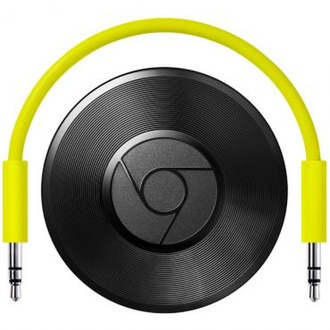
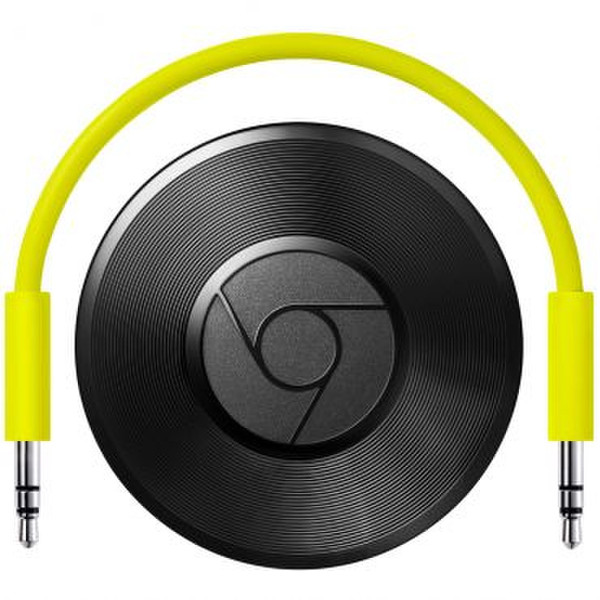
Chromecast Audio
Stream the music you love from your favourite device to the best speaker in your home.
Your device is the remote
Use your phone, tablet or laptop to play, pause and adjust the volume. Just tap the Cast button in your music apps to hear them on your speaker.¹ Chromecast Audio works with Android devices, iPhone® and iPad®, plus Chromebook, Mac® and Windows® laptops.²
Your favourites on your best speaker
Use the apps that you love, such as Google Play Music, Spotify and Deezer with Chromecast Audio. Listen to your favourites and discover new ones from the millions of songs, podcasts and stations available.³
Smooth streaming over Wi-Fi
Chromecast Audio supports lossless high-resolution audio, which is even better than CD-quality sound. Plus, your music streams from the cloud over Wi-Fi, so you get continuous sound over your speaker, even if you leave the room with your device.
Play music everywhere with Multi-room
Multi-room lets you group together speakers connected to Chromecast Audio devices so that you can listen to the same song on multiple speakers throughout your home.
Setup is easy
1. Plug Chromecast Audio into the power source, then the AUX input on your speaker.
2. Download the Google Home app and follow the instructions. Connect Chromecast Audio to your home Wi-Fi network.
3. Pick a tune to play from a Cast-enabled audio app, then tap the Cast button.
Voilà – your music plays on your favourite speaker.