Other features
| Quantity per box |
1 pc(s) |
| Minimum system requirements |
Available USB (1.1 or 2.0) port;CD-Rom drive; Microsoft Windows XP Service Pack 2 and Windows Vista;Intel Pentium 4 with 1.75 GHz or AMD Athlon XP 2000+ processor or faster processor;512 MB RAM or higher |
| Technical features |
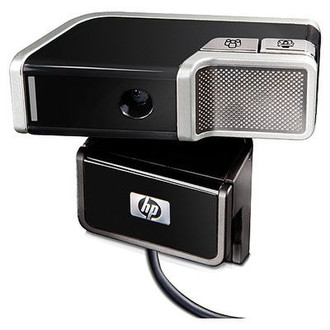
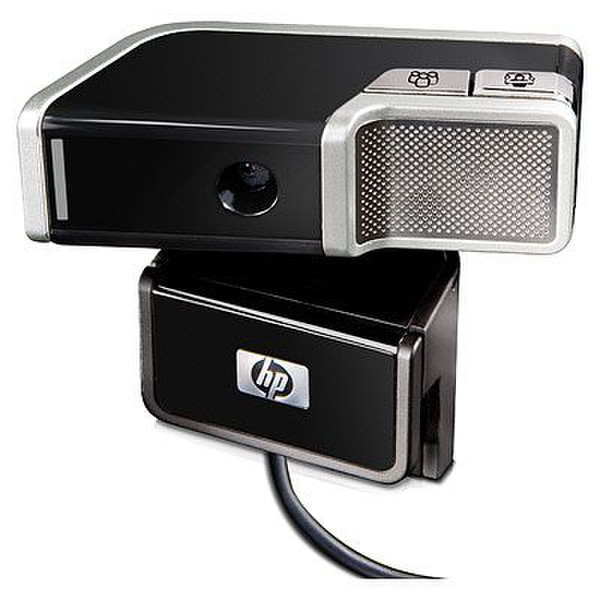
Photosmart Essential\nTrue 2-Megapixel CMOS Sensor with Autofocus;Live video: 640 x 480 (VGA) up to 30fps, 800 x 600 up to 20fps, 1280 x 960 up to 8-9fps, 1600 x 1200 up to 5-6fps;Still picture: up to 8.4MP (3360x2520 pixels) by software interpolation;UVC (Universal Video Class);Face-tracking;Effective focal range: 5 inches to infinity;Frame rate: Up to 30 frames per second;Tilt and Pan: Tilt (55°, up to 20° down and 35° up) / Pan (320°, up to 160° left, up to 160° right);Clamp extension: up to 0.67 inch (17mm);5X Digital Zoom;VideoImpression, Arcsoft Magic-I and HP\nClamp extension: up to 0.67 inch (17mm);Integrated microphone;2 buttons on the top: Snapshot button and HP Instant Chat button;Privacy cover;Front LED (on/off);Notebook clip;External headset;Cable length: 3.28 feet (1 meter) |
| USB required |
Y |
| Minimum RAM |
512 MB |
| Minimum processor |
Intel Pentium 4 1.75GHz, AMD Athlon XP 2000+ 1.67GHz |
| I/O ports |
1 x USB 2.0 |
| Package dimensions (WxDxH) |
220 x 65 x 200 mm |
| Compatible operating systems |
Microsoft Windows XP SP2 & Windows Vista |
Performance
| Megapixel |
2 MP |
| Maximum video resolution |
1600 x 1200 pixels |
| Maximum frame rate |
30 fps |
| Digital zoom |
5 x |
Design
| Pan range |
-160 - 160 ° |
| Tilt angle |
-20 - 35 ° |
2-Megapixel Autofocus Webcam
- Stylish 2.0 megapixel autofocus notebook webcam with free headset, up to 8.4 megapixel software, enhanced photo resolution, quick launch buttons and built-in microphone
- The 2-megapixel sensor with Autofocus and High Definition video quality keeps the image sharp and focused
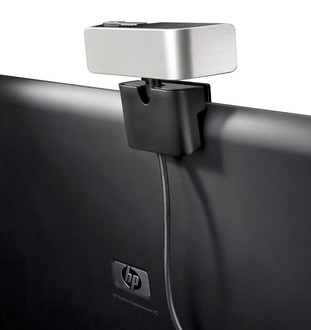
- Easy to secure to your notebook thanks to its stable, adjustable clip (works on a wide variety of notebooks)
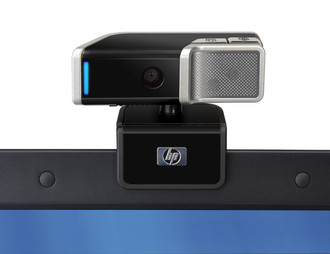
- Easily adjust your webcam to show what you want while maintaining a stable connection to your notebook PC
- Automatically launch your preferred instant messaging program1 and webcam controls via the Instant Chat button
- Enhance videoconferencing with fun special effects, keep your webcam controls in one application, and save up to five user profiles