Performance
| Megapixel |
3 MP |
| Face tracking |
Y |
| Maximum frame rate |
30 fps |
| Digital zoom |
5 x |
Other features
| Dimensions (WxDxH) |
130 x 90.50 x 37 mm |
| Lens focal range |
4 inches to infinity |
| Minimum system requirements |
Available USB (1.1 or 2.0) port; CD-Rom drive; Microsoft Windows XP Service Pack 2 and Windows Vista; Intel Pentium 4 with 1.75 GHz or AMD Athlon XP 2000+ processor or faster processor; 512 MB RAM or higher |
| Speakers and microphone |
Integrated stereo microphone |
| Display tilt and swivel range |
Tilt (55°, up to 20° down and 35° up) / Pan (320°, up to 160° left, up to 160° right) |
| I/O ports |
Certified high-speed USB 2.0 |
| Package dimensions (WxDxH) |
158 x 56.40 x 180 mm |
Packaging data
| Bundled software |
ArcSoft Magic-I, ArcSoft VideoImpression, ArcSoft WebCam, Companion, HP Photosmart Essential software, and webcam drivers (required for button function) |
| Package weight |
270 g |
Design
| Cable length |
1 m |
| Pan range |
-160 - 160 ° |
| Tilt angle |
-20 - 35 ° |
A camera connects you
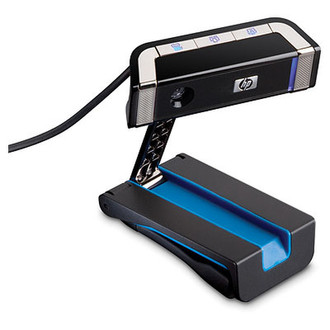
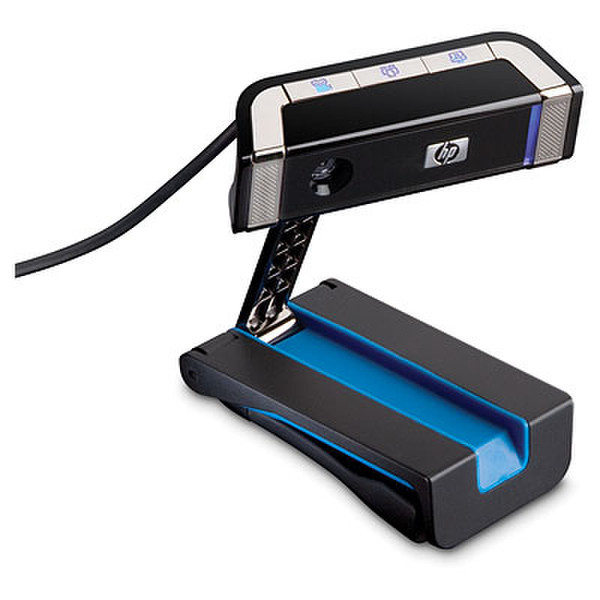
Do you miss your friend’s smile? Ever want to make funny faces and “goo-goo” sounds at your baby niece or nephew across the country? Top your computer with an HP Elite Autofocus Webcam and open the lines of clear communication.
So much to do
- Create videos to post on the Internet
- Chat face-to-face over the Internet
- Send a clear picture with 3 Megapixel core sensor and 12 Megapixel still photos (through software)
- Record high-definition video quality
- Program quick launch buttons to save time
Quick and easy setup
Set up your webcam wherever it’s convenient for you
- Sit it on a desk
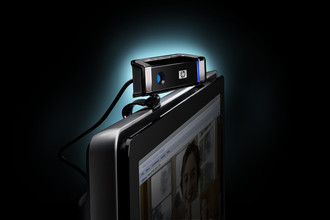
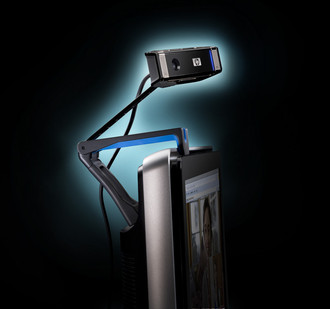
- Attach it to your existing monitor
- Use the optional HP Easy Clip system
- Then Plug into your USB (1.1 or 2.0) port
It’s time to get up close and personal with the friends and family you’re chatting with online. Plug in your HP Elite Autofocus Webcam and come face-to-face with fun.

