| Network ready |
N |
| Size |
11.3 " |
| Maximum scan area |
8.5 " |
| Pallet dimensions (W x D x H) (imperial) |
39.4 x 47.2 x 86.9 " |
| Package dimensions (W x D x H) |
19.69 x 5.94 x 16.42 " |
| Scan speed (OCR, A4) |
35 s |
| Recommended operating temperature range (T-T) |
10 - 35 °C |
| Transparency adapter |
IncludedIntegrated; 2 slides (35 mm) or 2 negative frames (35 mm) |
| Exifprint supported |
Yes, Version 2.2 |
| Output resolutions |
150, 200, 300, 600, 1200, 2400 |
| Duplex ADF scanning |
N |
| Stacking number for carton |
5 |
| Stacking number for pallet |
1 |
| Scan input modes |
Front-panel scan, copy, scan to PDF buttons; HP Photosmart software |
| TWAIN version |
1.9 |
| Image scaling/enlargement range |
10 to 2400% in 1% increments |
| Scan resolution enhanced disclaimer (long) |
What is the maximum resolution at which I can scan? HP Scanjet scanning systems will allow you to specify a resolution of up to 999,999 enhanced dpi. In addition, by using lower dpi and high scale factors (enlarging the image using dimension or re-size tool), you can achieve a very high enhanced dpi. However, it is important to note that the maximum resolution that can be actually achieved depends upon various factors, including computer speed, available disk space, memory, the size of the image being scanned, and bit depth settings. Thus, depending on your system and what you are scanning, you may not be able to scan at certain resolutions. For example, using the same image and same dpi, scanning in 24-bit color requires at least 24 times more memory (in the form of hard disk space and available memory) than scanning in 1-bit black and white. In addition, the size of the area being scanned is very important. For example, scanning a 4 x 6-inch photograph at 99,999-enhanced dpi and 24-bit color requires over 6 |
| Scan resolution enhanced disclaimer (short) |
The maximum dpi at which you can scan is limited by available computer memory, disk space and other system factors. |
| Scan speed in preview mode |
< 12 s |
| Number of layers per pallet |
5 |
| Minimum system requirements for Macintosh |
Mac OS X v10.3.9, 10.4; PowerPC G3, G4 and G5 processor, Intel Core processor; 128 MB RAM (256 MB recommended and required for Mac OS X v10.4); 250 MB available hard disk space; built-in USB\nMac OS X v 10.3, 10.4: PowerPC G4, G5, or Intel Core Processor; 128 MB RAM (256 MB recommended and required for Mac OS X v 10.4); 250 MB hard disk available; Mac OS X v 10.5: PowerPC G4, G5, or Intel Core Processor; 512 MB RAM, 7 GB hard disk available |
| Pallet dimensions (W x D x H) |
1001 x 1200 x 2208 mm |
| Technical features |
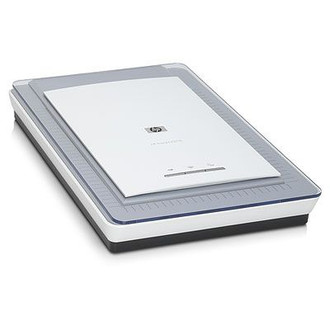
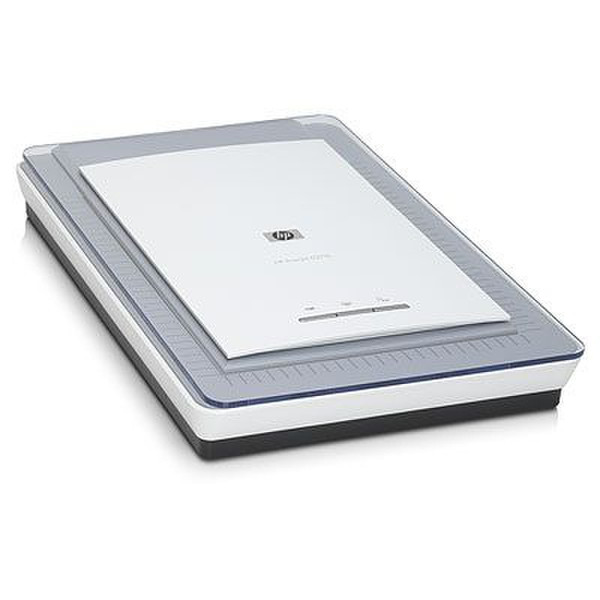
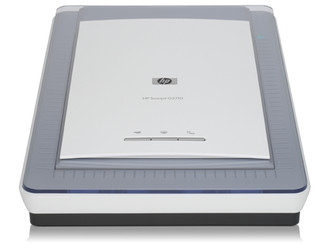
Three one-touch buttons: Scan, Copy, Scan-to-PDF.\nHP Real Life technologies: red-eye removal, colour restore, dust/scratch removal, adaptive lighting.\nMulti-image scanning with preview; images are automatically saved to separate files.\nPrint, edit, organise and share scans with HP Photosmart Essential software.\nRed-eye removal, Adaptive Lighting, Software Dust and Scratch Removal, Faded Colour Restoration\nBuilt-in adapter holds up to two 35 mm slides or two negative frames.\nEasy photo, slide and negative scanning with 2400 x 4800-dpi resolution, 48-bit colour*.\nThree one-touch buttons: Scan, Copy, Scan-to-PDF.\nHP Real Life technologies: red-eye removal, colour restore, dust/scratch removal, adaptive lighting.\nMulti-image scanning with preview; images are automatically saved to separate files.\nScan 3D objects including open books, jewellery and more with CCD technology.\nPrint, edit, organise and share scans with HP Photosmart Essential software.\nRed-eye removal, Adaptive Lighting, Software Dust and Scratch Rem |
| Control panel |
3 front-panel buttons (Copy, Scan, Scan to PDF) |
| UNSPSC-code |
43211711 |
| Package weight (imperial) |
9.9 lb lbs |
| Number of cartons per pallet |
14; 11 (Europe) |
| I/O ports |
1 x USB |
| Weight (imperial) |
6.8 lb lbs |