Management features
| Universal Plug and Play (UPnP) |
Y |
| Reset button |
Y |
Other features
| Rack mounting |
N |
| Data transfer rate |
600 Mbit/s |
| Bandwidth |
2.4 GHz |
| xDSL connection |
N |
Protocols
| Supported network protocols |
IPv6 |
Wireless LAN features
| WLAN data transfer rate (max) |
300 Mbit/s |
| Wi-Fi band |
Dual-band (2.4 GHz / 5 GHz) |
| Top Wi-Fi standard |
IEEE 802.11n |
| Wi-Fi standards |
IEEE 802.11a, IEEE 802.11b, IEEE 802.11g, IEEE 802.11n |
Ethernet LAN features
| Ethernet LAN interface type |
Fast Ethernet |
| Ethernet LAN data rates |
10, 100 Mbit/s |
Additionally
| AC adapter bundled |
Y |
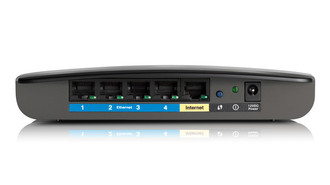
| Ethernet LAN (RJ-45) ports quantity |
4 |
| Ethernet LAN connection |
Y |
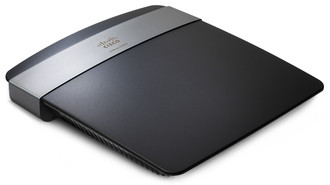
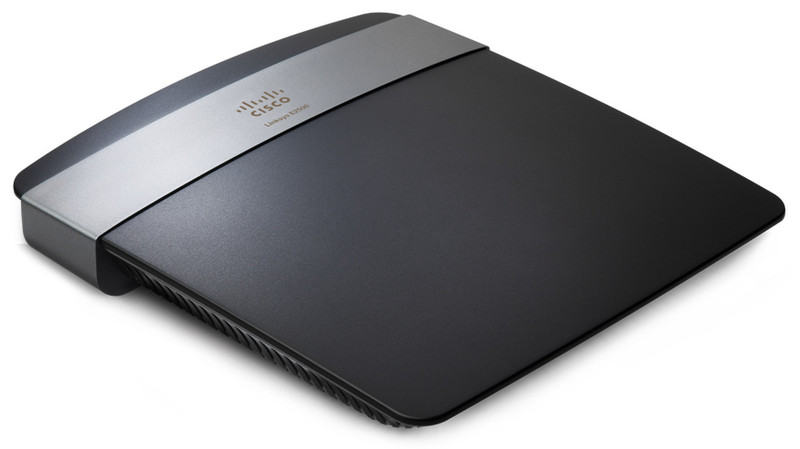
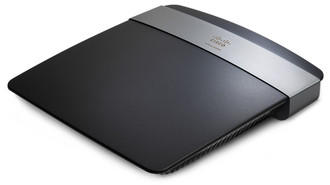
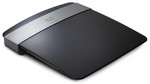
IEEE802.11 a/b/g/n, 300 + 300 Mbps, 4 x RJ-45, Fast Ethernet, WEP/WPA/WPA2
<b>Superior wireless speed</b>
The Linksys E2500 connects all your computers, tablets, Internet-ready TVs, game consoles and other devices at wireless transfer rates of up to 300 + 300 Mbps for an optimal home network experience.
<b>Optimal wireless coverage</b>
The enhanced MIMO antenna array offers increased signal strength to provide optimal coverage and reliability so you can enjoy wireless connectivity from anywhere in your home.
<b>The power of Dual-Band</b>
Double your network bandwidth with Dual-Band N (2.4 and 5 GHz) designed to avoid interference and maximize throughput ideal for HD media streaming, file transfers, and wireless gaming.
<b>Advanced security</b>
Advanced security features such as WPA2 wireless encryption and the integrated firewall help you keep your network protected.
<b>Optimized for entertainment</b>
Double your network bandwidth with Dual-Band N (2.4 and 5 GHz) designed to avoid interference and maximize throughput ideal for HD media streaming, file transfers, and wireless gaming.
<b>IPv6 ready</b>
Supports the latest Internet Protocol technology to help you future-proof your network.
<b>Quick to install</b>
Cisco Connect helps you set up your wireless network in a few easy steps on a Windows or Mac computer.
<b>Easy to manage</b>
Cisco Connect works with Mac and Windows computers and helps you customize settings or quickly add new devices to your network. Cisco Connect enables you to:
- Create a separate, password protected network for guests.
- Limit access time and access to certain websites with parental controls.
- Access advanced network settings easily.
- Measure your connection speed with the Broadband Speed Meter.
- Perform regular automated update checks for firmware and software with the option to install.