Technical details
| Software type |
Disk Kit |
| Media types supported |
DVD |
| Platform |
PC |
License
| License type |
Microsoft Volume License (MVL) |
System requirements
| Minimum hard disk space |
2000 MB |
| Minimum RAM |
512 MB |
| Minimum processor |
700 MHz |
Project Professional 2010, DiskKit MVL, DVD, Win 32/64-bit, RUS
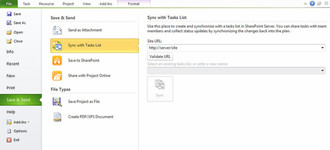
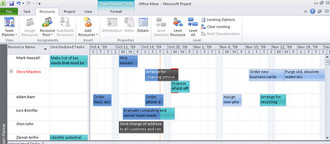
Visually select the right mix of resources—it's as easy as drag and drop with the new team planner. Enhance team collaboration to realize results—connect your teams with Microsoft® SharePoint® Foundation 2010 task list and status synchronization.
Microsoft® Project Professional 2010 gives you a powerful, visually enhanced way to manage a wide range of projects and programs. With all of the new updates and visual enhancements of Project Standard 2010, Project Professional 2010 delivers more with at-a-glance resource management and team collaboration tools using Microsoft® SharePoint® Foundation 2010, to successfully complete all types of projects. And, utilizing Project Professional 2010, you and your organization can realize the results of unified project and portfolio management by adding Microsoft Project Server 2010.
Microsoft Fluent User Interface
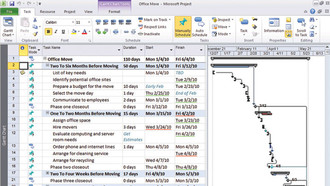
- Work more efficiently with the simple and intuitive Microsoft Fluent user interface—new graphical menus and a familiar experience provide the tools you need to plan and manage your project.
- Task-oriented tabs and contextual menu groupings reveal powerful features, making it easier to get started and realize results.
- Learn about features and rich formatting controls quickly with descriptive tooltips and drop-down galleries.
- Simply be more productive by choosing your own menu options, quick access toolbar settings and setting defaults.
- Save to XPS or PDF. Quickly share, print, and publish project information from one location using the new Microsoft® Office Backstage™ view.
Excel-Like Flexibility & Ease
- Enhanced copy and paste makes it easy to share information effectively with other Microsoft Office applications while retaining formatting.
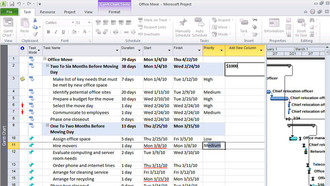
- Add columns dynamically by entering data without having to first select the data type.
- Simplify data entry with auto-complete which displays a list of previously used values to select from.
- Automatic text wrap eliminates extra formatting steps by adjusting row height to display full task names.
- Quickly mine data and analyze results with easy access filtering for all columns.
- Create emphasis with rich color options and text formatting to express ideas and solve problems in new ways.
User-Controlled Scheduling
- Gain flexibility with user-controlled scheduling—manually schedule tasks with the information you have right now or choose to automatically schedule tasks with calculated dates and durations.
- Be alerted to potential scheduling concerns with squiggly lines and choose how to manage potential problems.
- Gain insight with the Task Inspector to recognize issues and take action early—solving problems before they occur.
- Support rolling wave planning and easily create high level forecasts using manually scheduled top down summary tasks.
- Identify gaps by comparing manually scheduled summary tasks with information rolled up from subtasks.
- In Microsoft Project Professional 2010, you can simplify planning with inactive and activetasks to perform what-if analysis.
Timeline View
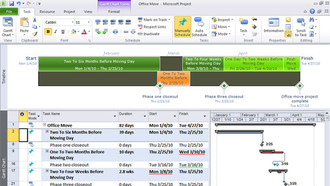
- Simply create the ultimate graphical timeline to express your schedule and plan.
- It's easier to see and share—drill into details and visually recognize differences with a clear view of tasks, milestones, and phases.
- Reach your audience with new impact by quickly copying the timeline into an email, presentation, or any other document with formatting retained.
Team Planner
- Visualize the right mix of resources and assignments with a simple and intuitive resource view.
- Simply drag-and-drop to effectively plan tasks and optimize resources for your entire team and project.
- Quickly identify unassigned or unscheduled tasks to proactively solve problems.
- Simply hover over tasks to instantly view task-level details to plan with ease.
- Be visually alerted to potential problems, choose to manually level resources as you work.
- Automatically level over allocated resources on a task-by-task basis using Task Inspector to instantly resolve problems.