System requirements
| Minimum RAM |
2048 MB |
| Recommended RAM |
4096 MB |
| Mac operating systems supported |
Mac OS X 10.10 Yosemite, Mac OS X 10.11 El Capitan, Mac OS X 10.6 Snow Leopard, Mac OS X 10.7 Lion, Mac OS X 10.8 Mountain Lion, Mac OS X 10.9 Mavericks |
<b>Get the results you want - fast with Titler Pro Live for Wirecast™</b>
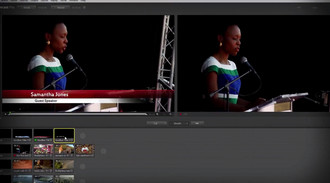
Titler Pro Live delivers speed and efficiency through it's integrated workflow and built-in templates while providing you with the freedom to design the title designs you need.
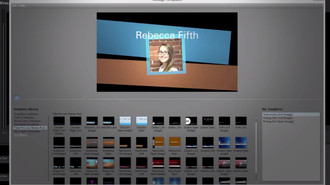
- Get a head start on your title design with 48 built-in templates
- Make your titles come to life with a rich palette of animations.
- Design your own lower thirds, end credits and opening titles with the title designer.
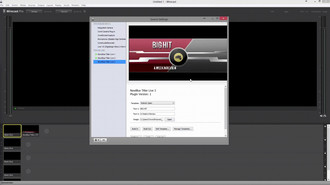
- Titler Pro Live runs directly inside Wirecast.
<b>Real-Time Template Based Titling</b>
Titler Pro Live’s template-oriented workflow solves the creative challenges of real-time titling. With it, you can prepare stunning animated title templates in advance, then insert text and images on the fly at broadcast time.
<b>Template Management</b>
Templates offer the power of sophisticated title design in a quick production environment. Each Template is a complete package that includes animated transitions in and out. Plus, each offers a way to replace text and images in your title, so that you can apply them as needed in production.
<b>Template Editor</b>
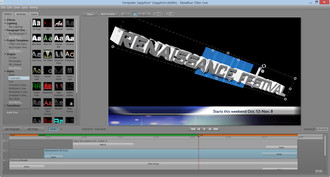
Modify or design your own titles with Titler Pro Live's Template Editor. This design interface puts the power of Titler Pro Live in your hands. Change simple things like color, size, font, and position, or build a Template completely from scratch – it’s easy.
<b>Sophisticated design features</b>
For those looking for full control, Titler Pro Live offers sophisticated design features. You can design styles, extrude shapes, animate multiple light sources, set video textures, adjust depth of field blur, apply 2D /3D transitions and effects... and so much more.