Weight & dimensions
| Heatsink weight |
370 g |
| Fan dimensions (W x D x H) |
120 x 120 x 25 mm |
| Heatsink dimensions (W x D x H) |
130 x 130 x 68 mm |
Performance
| Fan diameter |
120 mm |
| Supported processor sockets |
LGA 1150 (Socket H3), LGA 1155 (Socket H2), LGA 1156 (Socket H), LGA 1151 (Socket H4) |
| Thermal Design Power (TDP) |
100 W |
| Maximum airflow |
58.4 cfm |
| Noise level (high speed) |
26.4 dB |
| Rotational speed (max) |
1600 RPM |
| Type |
Cooler |
| Suitable for |
Processor |
| Number of fans |
1 fan(s) |
Power
| Rated current |
0.2 A |
| Voltage |
10.8 - 13.2 V |
Packaging content
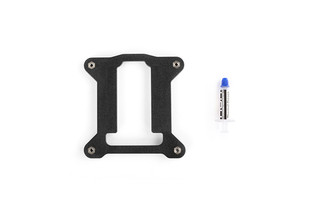
| Thermal pad included |
Y |
| Screws included |
Y |
Additionally
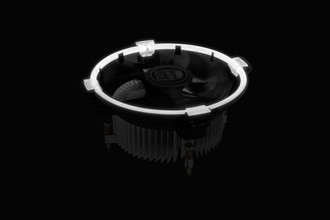
| Illumination colour |
White |
Intel CPU Cooler, 120mm Fan LED, 1600RPM, 58.4CFM, 26.4dBA, 100W, 3-pin, 370g, Aluminium
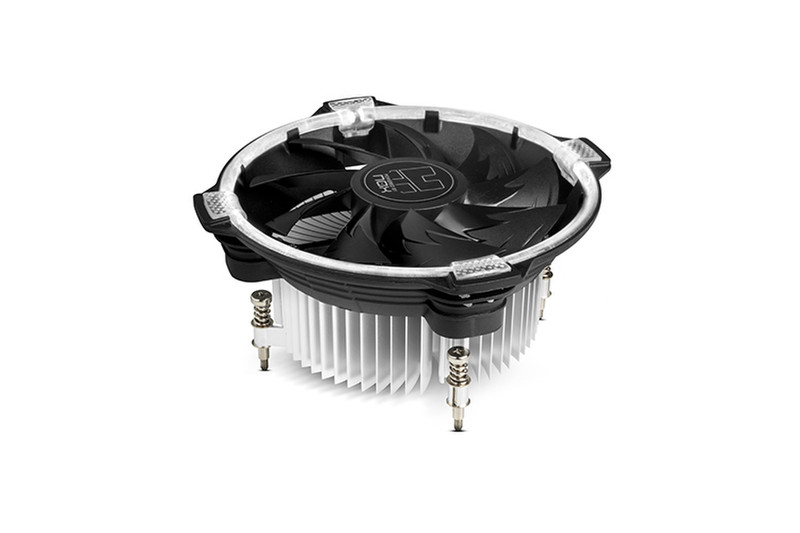
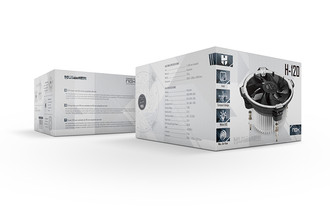
Nox Hummer series extends its coolers’ family with H-120. Thanks to its compact size, H-120 is a perfect cooler for all types of Intel-based PCs and assemblies requiring powerful, fast and quiet cooling.
- Intel compatible
- 120 mm fan with white LED
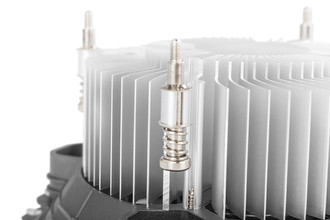
- Blades with optimized design
- Aluminium base
- Easy installation through push and pull technology
Excelent cooling
H-120 combines aesthetics and high performance: its blades have a special design optimized for the generation of a great airflow at low revolutions, thus cooling in a more efficient and silent way the heatsink and the CPU processor. In addition, H-120 will be illuminated thanks to the white LED that surrounds its entire outline.
Aluminium base
H-120 cooler's aluminium base is in direct contact with the CPU, guaranteeing constant cooling plus a perfect dissipation of the heat generated by your computer.
Compact dimensions
130 mm diameter and 68 mm height makes H-120 a cooler compatible with any equipment or assembly, something that will allow you to install an optimum cooling system without any size limitations.
Easy installation
Installing H-120 is a quite simple process: you only need to place its bracket on the back of the motherboard, apply the thermal paste atop the CPU surface, place and screw the heatsink into its bracket and connect the fan cable to the motherboard.