Weight & dimensions
| Set width (with stand) (inch) |
16.7 " |
Ergonomics
| Stand-by LED |
Y |
| Tilt angle |
-5 - 20 ° |
| Power LED |
Y |
| Number of OSD languages |
8 |
| Tilt adjustment |
Y |
| On Screen Display (OSD) |
Y |
| Height adjustment |
N |
| Cable lock slot |
Kensington |
Display
| Video input impedance |
75 Ω |
| Display sRGB |
Y |
| Digital horizontal frequency |
30 - 83 kHz |
| Sync-on-green (SOG) |
Y |
| Separate H/V sync |
Y |
| Viewable size, horizontal |
376.3 mm |
| Viewable size, vertical |
301.1 mm |
| Digital vertical frequency |
56 - 75 Hz |
| Composite sync |
Y |
| HDCP |
N |
| HD type |
Not supported |
Other features
| Video Dot Rate |
140 MHz |
| Sync input impedance |
2200 Ω |
| Display viewable area HxV |
376.3 x 301.1 mm |
Power
| Power consumption (PowerSave) |
28 W |
| Power consumption (off) |
1 W |
Multimedia
| Built-in camera |
N |
| TV tuner integrated |
N |
Ports & interfaces
| VGA (D-Sub) ports quantity |
1 |
Additionally
| Product weight (+stand) (lb) |
9.2 lbs |
| Energy efficiency compliance |
Unspecified |
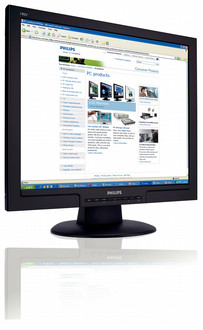
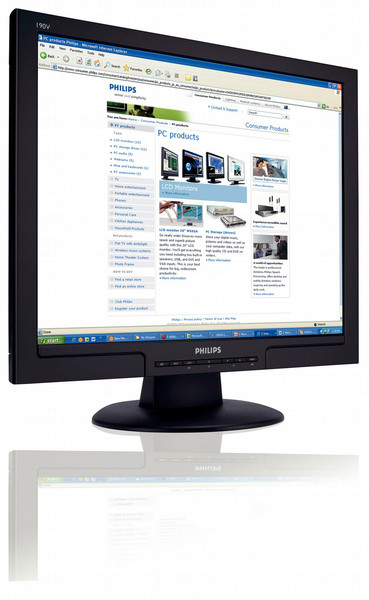
19'' LCD, 16.7M, 5 ms, 3000:1, 300 cd/m2, DVI-D, sRGB
Great value for your money
With Philips SmartImage and PerfecTune plus a detachable base to save space and Green
design, the Vista-empowered 190V8 delivers the best-ever display quality and the
performance you need to get the job done at an affordable price.
Best total cost of ownership solution
- SmartManage compatibility enables LAN-based asset management
- PerfecTune ensures top quality LCD display delivered to you
- Empowered for Windows Vista
Outstanding front of screen performance
- SmartImage: Optimized user friendly display experience
- SmartContrast: For incredible rich black details
- Fast response time for great display of moving images
Maximum comfort for maximum productivity
- Screen tilts to your ideal, individualized viewing angle
Great convenience
- Hassle-free display performance tuning with SmartControl II
- Cable management for a tidy work space
- Adjust display settings with hot key or on-screen controls
SmartManage enabled
SmartManage is a system for monitoring, managing and checking status of display devices as well as delivering remote support to users who experience difficulties - all accomplished over a LAN.
PerfecTune
PerfectTune is industry-leading, proprietary Philips testing and algorithm technology for monitor adjustment and fine tuning, an extensive process that ensures ultimate display performance in compliance with a standard four-times more stringent than Microsoft's Vista requirements from each and every monitor that leaves the factory - not just a few review samples. Only Philips goes to these lengths to deliver this exacting level of color accuracy and display quality in every new monitor.
Windows Vista ready
Philips Vista-ready monitors are empowered for vibrant, exciting display of this new, visually sophisticated and demanding Windows operating system, designed to enhance your entertainment experience, make you more productive and help you control your computing experience at home and in the office, making viewing, finding and organizing information for work or play quick, efficient and easy.
SmartImage
SmartImage is an exclusive leading edge Philips technology that analyzes the content displayed on your screen and gives you optimized display performance. This user friendly interface allows you to select various modes like Office, Image, Entertainment, Economy etc., to fit the application in use. Based on the selection, SmartImage dynamically optimizes the contrast, color saturation and sharpness of images and videos for ultimate display performance. The Economy mode option offers you major power savings. All in real time with the press of a single button!
SmartContrast
SmartContrast is a Philips technology that analyzes the contents you are displaying, automatically adjusting colors and controlling backlight intensity to dynamically enhance contrast for the best digital images and videos or when playing games where dark hues are displayed. When Economy mode is selected, contrast is adjusted and backlighting fine-tuned for just-right display of everyday office applications and lower power consumption.
SmartControl II
SmartControl II is monitor-based software with an easy-to-use on-screen graphic interface that guides you through fine-tuning resolution, color calibration and other display settings including brightness, contrast, clock & phase, position, RGB, white point and - on models with onboard speakers - volume adjustments.
Cable management
Cable management is a system that maintains tidy workspace by organizing cables and wires required for the operation of a display device.
Fast response time
Response time measures signal reaction speed in milliseconds. On/off response time measures the time required for the screen to turn from completely white to completely black and vice versa. Fast on/off response time improves display of text. Gray-to-grey response time measures the average time of transition between several sets of random gray levels - Lower numbers mean faster transitions. Faster is better because a fast response time eliminates visible image artifacts that could dampen your experience when viewing fast moving images or objects.
User friendly hot key and OSD
The user friendly hot key and on-screen display controls are dual systems for conveniently fine-tuning display settings to meet a variety of needs. Press the hot key on your monitor's frame for automatic picture, quick contrast and brightness control or use the on-screen display feature to fine-tune your display settings.