Ports & interfaces
| Remote (IR) output |
1 |
| DVI port |
Y |
| VGA (D-Sub) input ports |
1 |
| Composite video in |
1 |
| DVI-D ports quantity |
1 |
| Speaker out |
1 |
| DVI-I ports quantity |
1 |
| Audio (L,R) out |
1 |
| HDMI in |
2 |
| RS-232C |
Y |
| Component video (YPbPr/YCbCr) in |
1 |
| DisplayPorts quantity |
1 |
| USB ports quantity |
1 |
| RS-232 interface |
Y |
| HDMI ports quantity |
2 |
Display
| HD type |
Full HD |
| Display type |
LED |
Other features
| Screen format adjustments |
16:9 |
Packaging data
| Handheld remote control |
Y |
| Batteries included |
Y |
| Quick start guide |
Y |
Computer system
| Image formats supported |
BMP, GIF, JPG |
Performance
| Number of OSD languages |
12 |
| On Screen Display (OSD) |
Y |
Technical details
| LED backlighting type |
Direct-LED |
Additionally
| Ethernet LAN connection |
Y |
| Ethernet LAN (RJ-45) ports quantity |
1 |
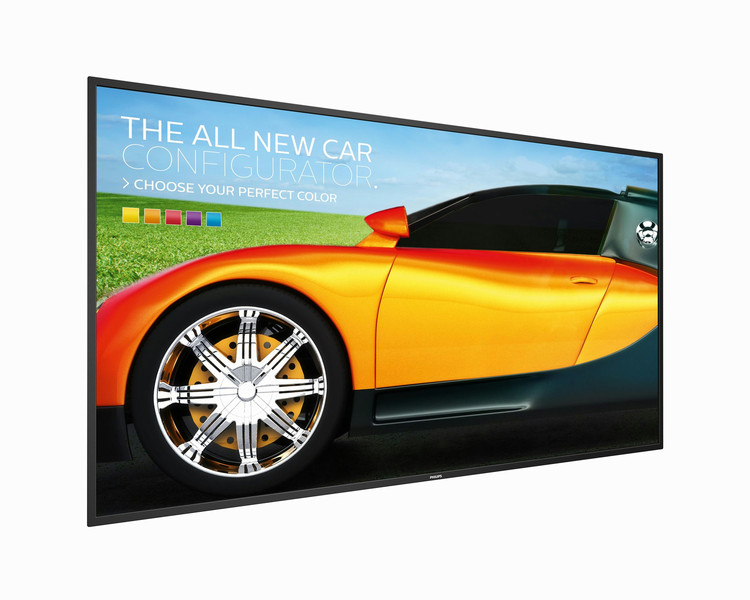
165.1 cm (65 ") , Full HD, 1920x1080, 350 cd/m², 3000:1, 8 ms, 16:9, 0.74 x 0.74 mm, RS232, LAN (RJ45), DVI, VGA, USB, HDMI, 100 ~ 240 VAC, 50 ~ 60 Hz, 176 W
CMND: Take control of your displays
A robust display management platform, CMND puts the power back into your hands. Update and manage content with CMND & Create or control your settings with CMND & Control. It's all possible with CMND.
Manage settings of multiple displays with CMND & Control
With CMND & Control, easily manage multiple displays in a central location. With real time display monitoring, setting and software updates from a remote location, and the ability to customize and configure multiple displays at once, such as video wall or menu board displays, controlling your suite of displays has never been easier.
Create and update content with CMND & Create
Design and create compelling content with CMND & Create, a powerful authoring tool. With a drag and drop interface, preloaded templates, and integrated widgets, you'll be able to amaze your customers with compelling content. Available in portrait and landscape mode.
Schedule what you want, when you want with SmartPlayer
Turn your USB into a true cost effective digital signage device. Simply save your content (video, audio, pictures) on your USB and plug into your display.Create your playlist and schedule your content via the on screen menu, and enjoy your own created playlists anytime, anywhere.
Keep your content up and running with FailOver
Keeping your content up and running is critical for demanding commercial applications. While it is unlikely you will face a content disaster, FailOver provides content protection with a revolutionary technology that plays back-up content on screen in the event of a media player failure. FailOver automatically kicks in when the primary input fails. Simply select a primary input connection and a FailOver connection and your ready for instant protection.
SmartPower for energy saving
The backlight intensity can be controlled and pre-set by the system to reduce the power consumption by up to 50%, which saves substantially on energy costs.
Connect and control your content via the cloud with HTML5
Connect and control your content via the cloud with the integrated HTML5 browser. Design your signage content online and connect it with a display or with your complete network. Simply plug in a RJ45 internet cable for network connection, connect the display with the dedicated url-address and you are ready to play your cloud based content.
Simplify meetings with FailOver for conferencing
Using FailOver, simplify your presentations and videoconferencing. When a meeting or conference room is not in use, background content can run from whatever input source you choose. When the meeting starts and you need to share a presentation or your screen, simply connect your computer and the display automatically switches inputs and shows what's on your screen, with no need to manually switch inputs.
Full HD LED for brilliant images with incredible contrast
Picture Quality matters. Regular displays deliver quality, but you expect more. Imagine crisp detail paired with high brightness, incredible contrast and realistic colors for a true to life picture.