Ports & interfaces
| Hub interfaces |
USB 1.1, USB 2.0, USB 3.0 (3.1 Gen 1) Type-A |
| Ports quantity |
10 |
| Host interface |
USB 3.0 (3.1 Gen 1) Type-A |
Power
| Input frequency |
50/60 Hz |
| Power source type |
AC |
| Input voltage |
100-240 V |
System requirements
| Mac operating systems supported |
Mac OS X 10.0 Cheetah, Mac OS X 10.1 Puma, Mac OS X 10.10 Yosemite, Mac OS X 10.11 El Capitan, Mac OS X 10.12 Sierra, Mac OS X 10.2 Jaguar, Mac OS X 10.3 Panther, Mac OS X 10.4 Tiger, Mac OS X 10.5 Leopard, Mac OS X 10.6 Snow Leopard, Mac OS X 10.7 Lion, Mac OS X 10.8 Mountain Lion, Mac OS X 10.9 Mavericks |
Performance
| Data transfer rate |
5000 Mbit/s |
10 ports USB 3.0, 100-240 V, 50-60 Hz, 48 W, black
Expand USB connectivity by connecting up to ten USB 3.0, 2.0, or 1.1 devices to any USB 2.0 or 3.0 capable desktop, laptop, or tablet computer. The hub supports USB 3.0 transfer rates up to 5Gbps (640MBps) to allow data to move quickly between devices, ideal for high-throughput devices such as USB hard drives, flash drives, and USB video adapters.
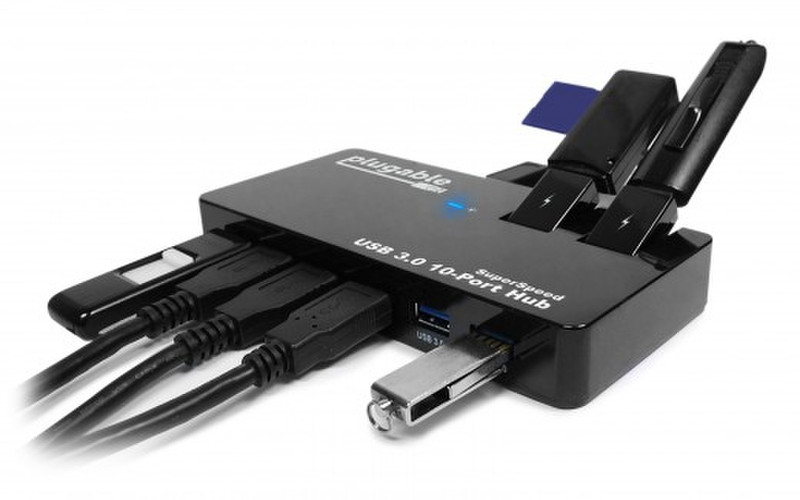
With USB ports on both the front and the rear, along with two flip-up ports that swivel to a vertical position to allow easy insertion of devices, this hub is perfect for minimizing desktop cable clutter.
USB has become more than a way of connecting devices to a computer with plug and play ease and high performance, it has also become the method of choice to power and charge a range of battery-powered devices from headsets and controllers to phones and tablets. Some of those mobile devices have adopted proprietary mechanisms to draw more power than USB 3.0 was designed to allow, which has caused confusion about charging.
That is being solved by the Battery Charging (BC 1.2) Standard – when both the device and the hub/charger are BC Standard compliant, it can charge at a faster rate (up to 1.5A) in a standard way.
USB Charging
Battery charging over USB has become a standard practice but the actual charging behavior of different devices is often unpredictable and sometimes disappointing. The devices themselves decide how much current to draw and manufacturers haven’t settled on a single standard. We constantly test our products with as many different devices as possible and publish the results so it’s easy to determine the charging behavior to expect from your device on each of our USB products. These are the results for the devices we’ve tested on this charger so far.