Lens system
| Digital zoom |
10 x |
| Optical zoom |
8 x |
| Shooting area (WxD) |
400 x 300 mm |
| Auto focus |
Y |
| Maximum focal length (f) |
6.8 mm |
Power
| Power supply type |
AC |
| Power consumption |
21.6 mA |
Camera
| Effective sensor resolution |
5 MP |
| Maximum frame rate |
30 fps |
System requirements
| Mac operating systems supported |
Mac OS 8.6, Mac OS 9.2, Mac OS X 10.0 Cheetah, Mac OS X 10.1 Puma, Mac OS X 10.2 Jaguar, Mac OS X 10.3 Panther, Mac OS X 10.4 Tiger, Mac OS X 10.5 Leopard, Mac OS X 10.6 Snow Leopard, Mac OS 9.0, Mac OS 9.1 |
Ports & interfaces
| USB connector type |
USB Type-B |
| DVI output ports |
1 |
| VGA (D-Sub) output ports |
1 |
| VGA (D-Sub) input ports |
1 |
Technical details
| Cable lock slot |
Y |
| Built-in microphone |
Y |
5 MP, 1920 × 1080, USB, 8 × optical, 10 × digital, 30 fps, Anti- glare sheet, Microscope adapter
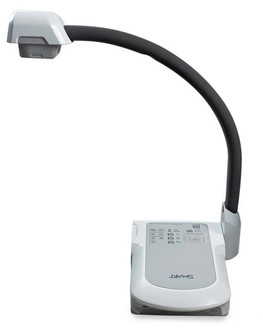
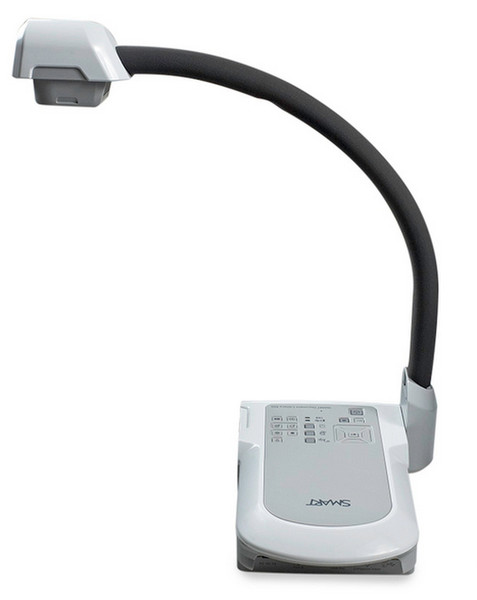
<b>SMART Document Camera</b>
Turn real objects into digital content with the SMART Document Camera 450. It’s
a great way to demonstrate, explore and understand – even when concepts are
abstract or complex.
<b>Capture images and create multimedia lessons</b>
Create more engaging lesson content by easily capturing images, video and audio
with the SMART Document Camera. For example, you can take a video of a science
experiment with the document camera and save it to use for your next class and
students can record demonstrations during presentations to study later.
<b>Mixed Reality Tools included</b>
Manipulate and explore 3D content from you SMART Notebook file by placing
the Mixed Reality cube (included) under the SMART Document Camera lens. This
provides students with a hands-on experience that engages students of all learning
styles and helps them understand complex, abstract and conceptual content.
<b>Seamless integration</b>
The SMART Document Camera is a perfect fit with other SMART products because
you can control it right from your SMART Notebook lesson – with just one touch.
It’s easy to show images on your SMART Board, LightRaise™ interactive projector or
SMART Table® interactive table.
<b>Inspire students as they learn</b>
When you can take an object – a leaf, for example – and display it for all to see, it’s
easier for students to understand higher-level concepts like photosynthesis. You have
a visual, kinesthetic way to teach and learn.