Ports & interfaces
| USB ports quantity |
1 |
| Host interface |
USB |
| Internal |
N |
System requirements
| Minimum RAM |
64 MB |
| Minimum processor |
Intel Pentium III |
| Minimum hard disk space |
50 MB |
| Optical drive required |
Y |
Wireless LAN features
| Top Wi-Fi standard |
IEEE 802.11n |
| Wi-Fi standards |
IEEE 802.11n, IEEE 802.11g, IEEE 802.11b |
| Wi-Fi |
Y |
Additionally
| Wireless technologies |
Wireless |
| Wireless connections |
Y |
| Transfer rate (Mbps) |
300 Mbit/s |
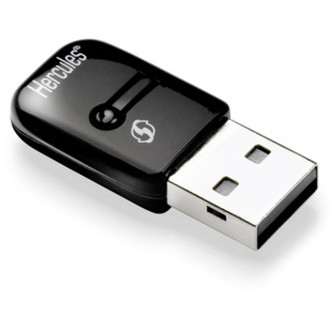
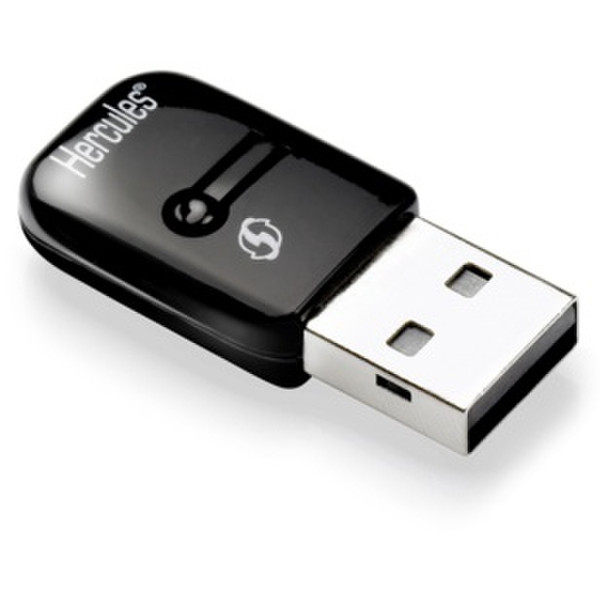
802. 11n, USB 2.0, Black
- Based on the new WiFi 802.11n standard, the key allows for data rates of up to 300Mbps* (required by the 11n standard): that’s 5.5 times as fast as the previous 802.11g standard.
- These data rates allow users to watch HD movies and enjoy music with 5.1 sound, surf the Internet and play online games... all simultaneously and with no slowdowns.
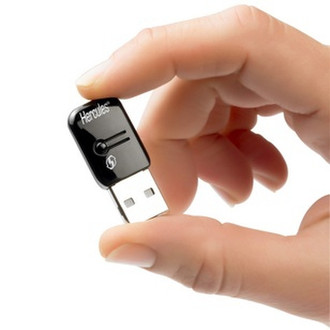
- Its incredibly small size, only 1.5 x 2.2cm (without the USB connector), makes it easy to transport, allowing users to always enjoy the best data rates on their PC: the ideal solution for laptop PCs.
- Equipped with 2 integrated MIMO antennas, this key allows users to access even very remote WiFi networks, whether 11n or 11g ("box" or router).
- Connection to the network is now ultra-simple thanks to the WPS button**, which has now become a standard, certified by the Wi-Fi Alliance and already featured in the entire Hercules 11n product range.
- Optimal management of multimedia data transfer priorities thanks to Wi-Fi MultiMedia technology, standardized by the Wi-Fi Alliance.
- Maximum data security via WPA and WPA2 encryption.
- Certified WiFi b,g and N by the Wi-Fi Alliance to guarantee maximum compatibility and optimal functioning with 11n products on the market.
- Also works with all Internet "boxes" on the market (Livebox®, Freebox®, Neufbox®...).
- The Hercules WiFi Station N software in English/DE/FR/NL/SP/IT/PT/RU allows users to easily manage all of the key’s advanced functionalities.
- An illustrated Quick Start Guide in English/DE/FR/NL/SP/IT/PT/RU helps users to avoid making any mistakes, guiding them step by step through to connecting to the Internet via WiFi.