Technical details
| Maximum operating distance |
10.6 m |
Ports & interfaces
| Video ports quantity |
3 |
| Video port type |
DisplayPort/DVI |
| DC-in jack |
Y |
Power
| Input voltage |
100-240 V |
| Input frequency |
50/60 Hz |
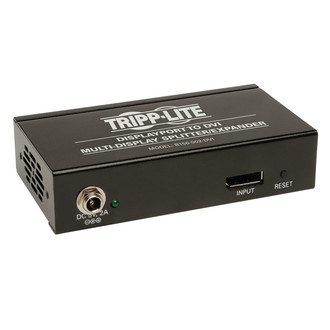
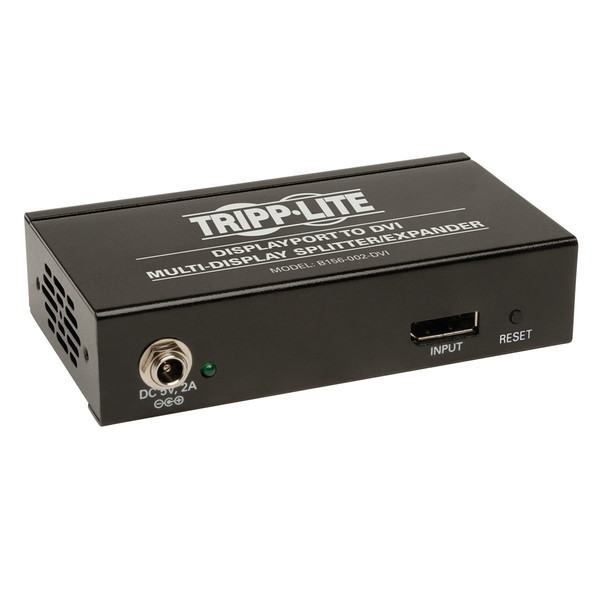
2-Port DisplayPort 1.2 to DVI Multi-Stream Transport (MST) Hub, 3840x1200 at 60Hz
Get everyone’s attention by broadcasting awesome messages in high definition video! With Tripp Lite's B156-002-DVI 2-Port DisplayPort 1.2 to DVI MST Hub, you can split or expand a single DisplayPort signal into two separate signals and display them on two HDMI monitors using standard DisplayPort (Tripp Lite P580-Series or P583-Series) and DVI (Tripp Lite P560-Series) cables. You can display the same image on each monitor, extend the desktop across them, or display in video wall mode where monitors are combined to display as one, enlarged monitor. The B156-002-DVI supports HD video resolutions up to 1920 x 1200 / 1080p @ 60Hz, 48-bit Deep Color (16 bits per channel), and is compatible with HDCP, EDID and DDC. When displaying in video wall mode, resolutions up to 1920 x 2400 (1x2) and 3840 x 1200 (2x1) are supported. It comes with an external power supply and brackets for wall-, rack- or pole-mounting. All mounting hardware is included.
- Compliant with DisplayPort 1.2
- Display the same image on each monitor, extend the desktop across them, or display in video wall mode where monitors are combined to display as one
- Supports computer video resolutions up to 1920 x 1200, and HD resolutions up to 1080p
- Allows for video resolutions up to 1920 x 2400 (1x2) and 3840 x 1200 (2x1) when in video wall mode
System Requirements
- A computer with a DisplayPort v1.2 compatible Graphics Card (e.g. AMD Radeon with AMD Eyefinity technology) is required to display in video wall mode.
- Mac OS X does not support MST for NVIDIA and Intel Graphics
Processor Units, limiting video display on the connected monitors to mirror
mode.
- Backward compatible with most DisplayPort 1.1a equipment running current graphics drivers, with the feature set being limited to that of your equipment (e.g. you may be limited to displaying in Clone / Mirror Mode only). Compatibility with older graphics cards is not guaranteed.
- Maximum supported video resolutions and number of monitors will be dependent upon your graphics card. Check the specifications of your graphics card to determine its capabilities.
- A monitor with a DVI port.
- International AC Adapter B110-INT required for use with UK, European, and Australian power connections
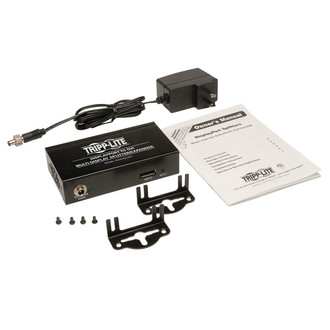
- B156-002-DVI Multi-Stream Transport (MST) Hub
- Mounting Hardware
- External Power Supply with NEMA 1-15P Plug (Input: 100-240V, 50/60Hz, 0.5A; Output: 5V, 2A, 1.52 m (5-ft.)
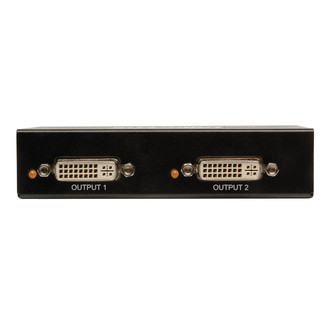
- Splits or expands a DisplayPort video signal on two DVI monitors
- Display the same image on each monitor, extend the desktop across them, or display in video wall mode where monitors are combined to display as one, enlarged monitor
- Supports computer video resolutions up to 1920 x 1200, and HD resolutions up to 1080p
- Allows for video resolutions up to 1920 x 2400 (1x2) and 3840 x 1200 (2x1) when in video wall mode
- Supports up to 48-bit Deep Color (16 bits per channel)
- Complies with HDCP, EDID and DDC
- Compatible with DisplayPort 1.2
- Compatible with Apple® Thunderbolt connectors
- Plug-and-play; no software or drivers required
- Easy to install; connect the DisplayPort video source to the hub's input port, connect the external power supply and finally connect the two DVI monitors to the output ports
- Wall-, rack- or pole-mounting; all mounting hardware is included