Ports & interfaces
| Video port type |
VGA |
| Mouse port type |
USB |
| Keyboard port type |
USB |
Features
| Maximum operating distance |
110 m |
Additionally
| Ethernet LAN (RJ-45) ports quantity |
2 |
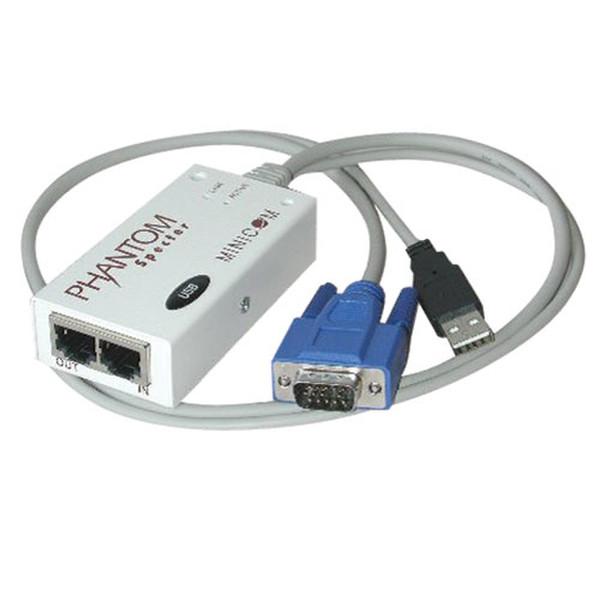
Minicom Specter II USB - Remote Unit f/ Phantom KVM Installation
The Specter II USB remote unit connects to the HD15 and USB ports on a computer/server, and converts them to a single RJ45 connector. Ordinary Cat5e patch cables can then be used to connect the computer/server to the system ports on a Minicom Universal Phantom Manager (0SU52015) or Phantom MX II (0SU52016) KVM switch, or a Specter II USB (0SU51011) or PS/2 (0SU51012) remote unit. Use of Cat5e cables frees up space in the installation that would be filled by traditional, thicker KVM cables. Compliant with the Federal Trade Agreements Act (TAA) for GSA Scheduled purchases.
- Needed to connect a USB Server to a Minicom Universal Phantom Manager or Phantom MX II KVM switch
- Easy to install; no software needed
- No power supply needed
- Allows a recommended maximum distance of 360 ft. (110 m.) from the KVM to the last remote unit in the installation
- Compact and lightweight design
- Compliant with the Federal Trade Agreements (TAA) for GSA Schedule purchases

