Display
| Active display area (W x H) |
1895.04 x 1065.96 mm |
| HD type |
4K Ultra HD |
| Native aspect ratio |
16:9 |
| Touch technology |
Multi-touch |
| Display type |
LCD |
Computer system
| Computer system |
Y |
| Processor cores |
4 |
| Internal storage capacity |
16 GB |
| Internal memory |
2 GB |
| Processor frequency |
1.2 GHz |
Ports & interfaces
| Audio (L,R) out |
1 |
| VGA (D-Sub) input ports |
1 |
| USB ports quantity |
6 |
| USB port |
Y |
| RS-232 interface |
Y |
| USB version |
2.0/3.0 (3.1 Gen 1) |
| HDMI ports quantity |
4 |
| DisplayPorts quantity |
1 |
Technical details
| LED backlighting type |
Direct-LED |
Additionally
| Ethernet LAN (RJ-45) ports quantity |
1 |
| Ethernet LAN connection |
Y |
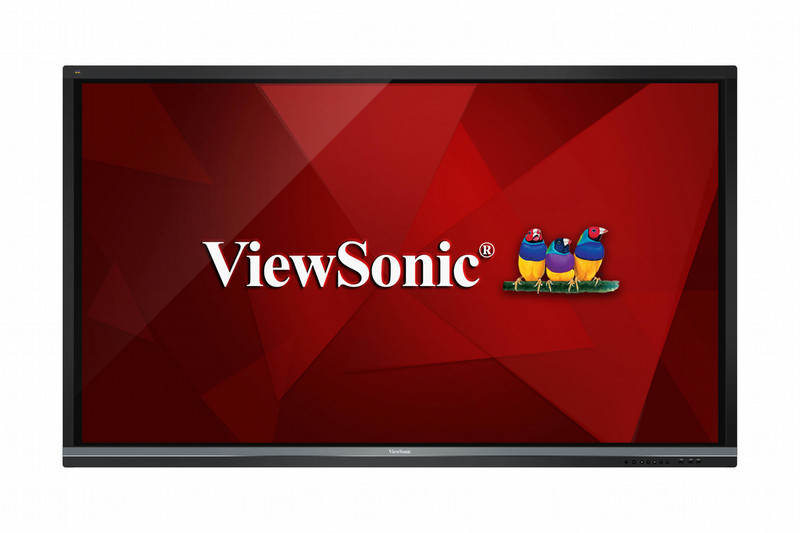
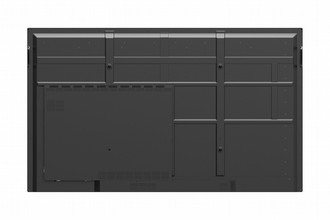
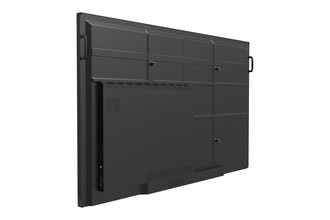
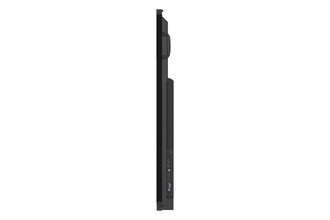
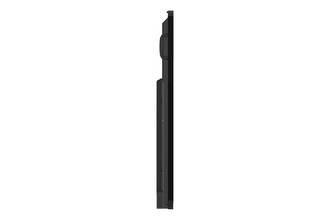
218.44 cm (86 ") 4K Ultra HD, 3840 x 2160 px, 350 cd/m², 8ms, 178/178°, 16:9, 4 x HDMI, 500W, VESA
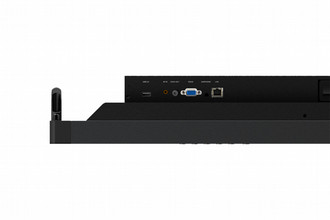
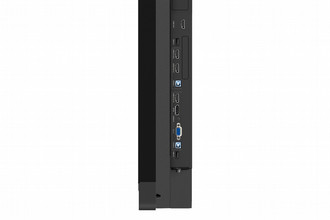
Featuring 4K Ultra HD resolution and an immersive 20-point touch screen, the ViewSonic ViewBoard IFP8650 delivers incredible collaborative capabilities for 21st century boardrooms and classrooms. With astonishing 20-point simultaneous touch capabilities and pre-installed ViewSonic vBoard annotation software, this 86” interactive flat panel lets multiple users write or draw on the screen with their fingers and styluses. With a built-in quad-core processor, as well as versatile connectivity options including multiple HDMI, VGA, RS232, RJ45, and USB ports, this display provides powerful computing for annotation and multimedia playback without the need for a PC. This Energy Star certified display delivers optional slot-in PC capability, as well as future-proof Intel SDM capability, for more computing-intensive interactive applications. The IFP8650 features a VESA-compatible design and can be placed on a wall mount, or on an optional trolley cart for flexible installation in classrooms and corporate meeting rooms.
4K, Flicker-Free, Blue Light Filter
With four-times the resolution of Full HD, ViewBoard’s Ultra HD 3840 x 2160 display delivers breathtaking visuals. 4K DisplayPort input is also supported for external sources. Flicker-Free technology and a Blue Light Filter come standard to help to eliminate eye strain from extended viewing periods.
20-Point Touch
Multi-user annotation
ViewBoard allows multiple users to annotate on the slim display simultaneously, increasing engagement and encouraging group collaboration.
Floating Pen
Annotation on demand
Two-finger touch activates ViewBoard’s Floating Pen that allows for easy annotation on everything from powerpoint files, to text docs, USB files, internal memory, or even on images from a connected input source.
vBoard 2.2 Annotation Software
Teaching whiteboard
vBoard 2.2 is an advanced education-oriented annotation app that includes subject templates, multimedia support, screen recording, and many other effective teaching tools. In Google-based classrooms, multiple users can share and save any of their vBoard 2.2 content with ease.
Built-in ARM Quad-core CPU with 16GB Storage
Equipped with a powerful quad-core processor and Android OS, this display provides smooth, lightning-fast computing and responsive touch capabilities. 16GB of onboard memory provides ample storage for files and multimedia content.
Out-of-Box Collaboration
Integrated with ViewSonic vBoard and Cast software, as well as Zoom software, this display delivers out-of-the-box annotation and content sharing capabilities.
ViewBoard Cast Content Sharing Software
On-site content sharing software
ViewBoard Cast is a content sharing app for mobile devices that enables 1080p content to be streamed from a user’s device onto ViewBoard wirelessly or over a cable network.
Zoom Conference Software
On-line conference software
Zoom is a conferencing app that enables content to be streamed from a user’s devices onto ViewBoard over the internet. It supports up to 10 participants, allowing 4 of the 10 to stream content from their laptop or smart phone.
vBoard Annotation Software
Annotation whiteboard
vBoard is an annotation app used for writing and drawing on the ViewBoard. The intuitive “draw with one finger, move/zoom with two fingers, and erase with three fingers” design delivers a user friendly experience.
Quick Launcher
Startup top 3 commonly used functions
ViewBoard’s vBoard, Cast, and Browser shortcuts enable users to write, cast content, and surf the web; 3 of the most commonly used functions during meetings and in class. These easy access desktop icons are displayed as soon as the ViewBoard is powered on.
Optional Slot-in Wi-Fi & Bluetooth Module
Offering users a complete wireless environment, the optional slot-in wireless module provides a dual band 2.4GHz/5GHz WiFi network, as well as Bluetooth support for flexible usage.
HDMI-Out Mirroring
Extended display
Mirroring capabilities deliver group discussion and spatial arrangement flexibility by allowing content to be mirrored on to two ViewBoards simultaneously.
Anti-Scratch, Anti-Glare Glass Faceplate
Anti-scratch, Anti-glare
The 7H scratch-resistant and anti-glare screen offers a durable and consistent high-quality touch experience.