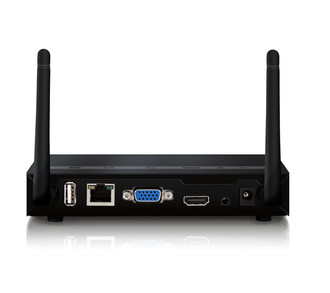
Ports & interfaces
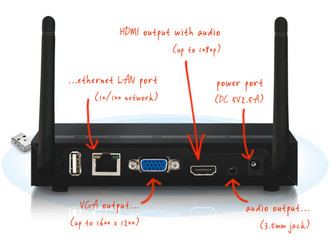
| DC-in jack |
Y |
| VGA (D-Sub) output ports |
1 |
| 3.5 mm (1/8-inch) out |
Y |
Features
| Smartphone remote support |
Y |
| Maximum frame rate |
30 fps |
| Processor frequency |
300 MHz |
| Conference control |
Y |
| On-screen annotation |
Y |
| Maximum resolution (HDMI) |
1920 x 1080 pixels |
| Guest access |
Y |
| Number of users |
64 user(s) |
| Maximum resolution (VGA) |
1600 x 1200 pixels |
System requirements
| Mobile operating systems supported |
iOS 9.0, iOS 8.2, iOS 8.0, iOS 7.0, iOS 6.1, iOS 6.0, iOS 5.0, iOS 4.3, iOS 4.2, iOS 4.1, iOS 4.0, Android 5.1, Android 5.0, Android 4.4, Android 4.3, Android 4.2, Android 4.1, Android 4.0, Android 3.2, Android 3.1, Android 3.0, Android 2.3, Android 2.2 |
| Mac operating systems supported |
Mac OS X 10.10 Yosemite, Mac OS X 10.11 El Capitan, Mac OS X 10.5 Leopard, Mac OS X 10.6 Snow Leopard, Mac OS X 10.7 Lion, Mac OS X 10.8 Mountain Lion, Mac OS X 10.9 Mavericks |
Antenna
| Antennas quantity |
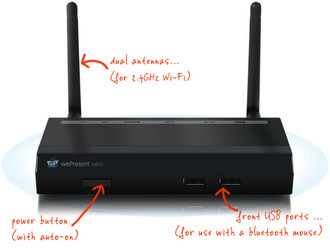
2 |
| Antenna type |
External |
Networking
| Ethernet LAN data rates |
100, 10 Mbit/s |
| Frequency band |
2.4 GHz |
Management features
| Web-based management |
Y |
| Reset button |
Y |
Additionally
| Ethernet LAN connection |
Y |
| Ethernet LAN (RJ-45) ports quantity |
1 |
| AC adapter bundled |
Y |
1600 x 1200 (VGA), 1920 x 1080 (HDMI), 300MHz CPU, 802.11b/g/n 2.4GHz, RJ-45, USB 2.0, 3.5mm
Basic wePresent model capable of all 'normal' wePresent features. Fit for basic, cross platform, BYOD, wireless presentations.
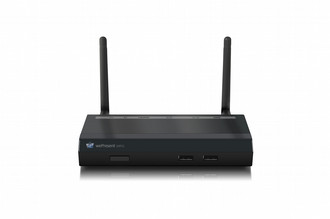
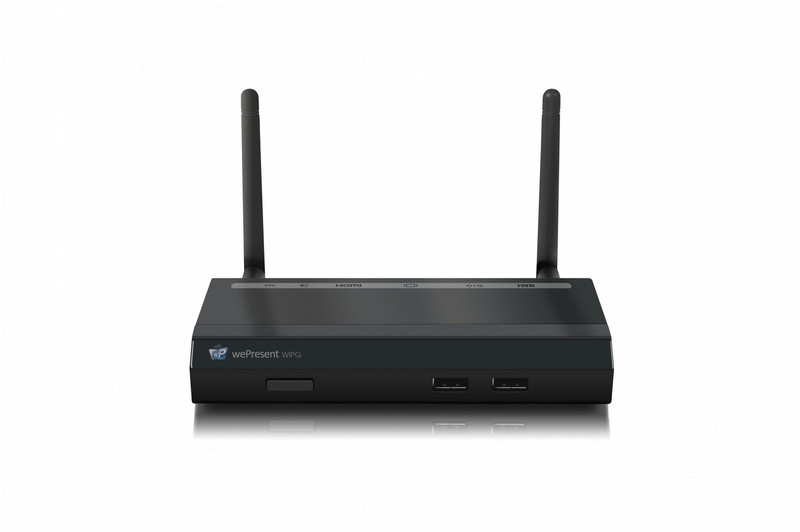
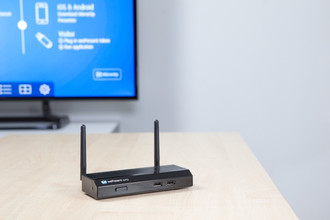
The WiPG or WePresent-1000 is a spectacular presentation tool that allows a group of up to 64 users, to take turns in wirelessly presenting from their Win/Mac computer, Smartphone or Tablet.
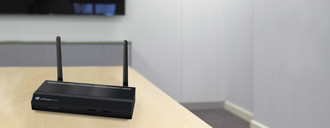
The WePresent can be connected to any TV, display or projector with HDMI or VGA connection, and can project up to full HD resolution!
The WiPG-1000 is our basic BYOD wireless presentation model, bringing easy cross-platform wireless presentations to your corporate or educational environment.
<b>VGA or HDMI output, up to full HD</b>
Connect the WePresent-1000 to any HDMI/VGA display or projector and set output resolution up to Full HD!
<b>Conference Control</b>
Manage up to 64 connected users as administrator and control who is projecting and where.
<b>4-to-1 Projection</b>
Use the WePresent software interface (or Conference Control) to choose in which screen-quadrant a projection is started.
<b>Wireless Access Point</b>
When connected to wired or wireless network the WePresent functions as a wireless access point, allowing internet access.
<b>SidePad</b>
Use your tablet or smartphone to wirelessly control the projecting PC/Mac.
<b>MirrorOp Presenter (for Android/Apple)</b>
MirrorOp Presenter allows you to project files and photos, show websites, your live camera feed, and make annotations during your presentation.
<b>Sender for Galaxy</b>
With the Sender for Galaxy app it is possbile to mirror the screen from your Samsung Galaxy device to the WiPG.
<b>WebSlides</b>
Let audience receive slides from your presentation in their web browser on their own WiFi device and save them.
<b>Plug-and-Show USB</b>
Start the WePresent software directly from a USB token. No software installation, no Admin rights needed.