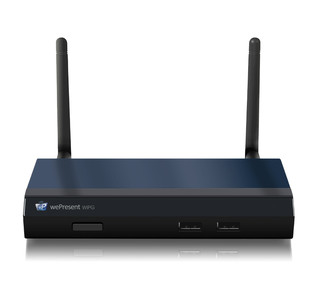
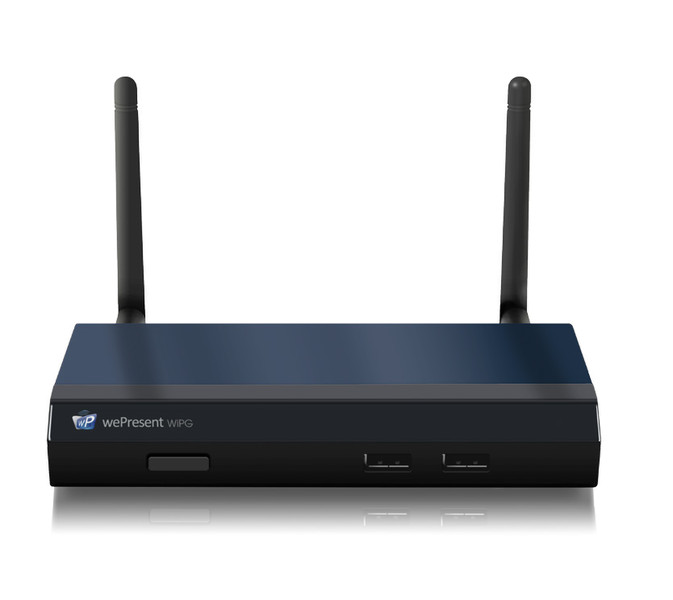
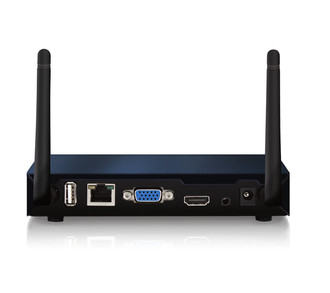
Ports & interfaces
| DC-in jack |
Y |
| VGA (D-Sub) output ports |
1 |
| 3.5 mm (1/8-inch) out |
Y |
Features
| Smartphone remote support |
Y |
| Maximum frame rate |
30 fps |
| Processor frequency |
400 MHz |
| Conference control |
Y |
| On-screen annotation |
Y |
| Maximum resolution (HDMI) |
1920 x 1080 pixels |
| Guest access |
Y |
| Number of users |
64 user(s) |
| Maximum resolution (VGA) |
1600 x 1200 pixels |
System requirements
| Mobile operating systems supported |
iOS 9.0, iOS 8.2, iOS 8.0, iOS 7.0, iOS 6.1, iOS 6.0, iOS 5.0, iOS 4.3, iOS 4.2, iOS 4.1, iOS 4.0, Android 5.1, Android 5.0, Android 4.4, Android 4.3, Android 4.2, Android 4.1, Android 4.0, Android 3.2, Android 3.1, Android 3.0, Android 2.3, Android 2.2 |
| Mac operating systems supported |
Mac OS X 10.10 Yosemite, Mac OS X 10.11 El Capitan, Mac OS X 10.5 Leopard, Mac OS X 10.6 Snow Leopard, Mac OS X 10.7 Lion, Mac OS X 10.8 Mountain Lion, Mac OS X 10.9 Mavericks |
Antenna
| Antennas quantity |
2 |
| Antenna type |
External |
Networking
| Ethernet LAN data rates |
100, 10 Mbit/s |
| Frequency band |
2.4 GHz |
Management features
| Web-based management |
Y |
| Reset button |
Y |
| Management protocols |
SNMP |
Additionally
| Ethernet LAN connection |
Y |
| Ethernet LAN (RJ-45) ports quantity |
1 |
| AC adapter bundled |
Y |
1600 x 1200 (VGA), 1920 x 1080 (HDMI), 400MHz CPU, 802.11b/g/n 2.4GHz, RJ-45, USB 2.0, 3.5mm
The WiPG or WePresent-1500 allows a group of up to 64 users, connected by WiFi or through your local network, to (wirelessly) present from their Windows or Mac computer, smartphone or tablet.
In addition to what the WiPG-1000 can do, the 1500 brings more interactive features to the table.
These new features on the WiPG-1500 allow users to annotate during presentations, or switch to a virtual whiteboard environment. Besides this, with a touch display connected, it is possible for any user to control their (wireless) presentation on the touch display!
<b>VGA or HDMI output (up to 1080p)</b>
Connect WePresent to any VGA or HDMI monitor or projector, output resolution up to 1080p.
<b>Conference Control (up to 64 users)</b>
Manage up to 64 concurrently connected users as moderator and control which user is projecting.
<b>4-to-1 Projection</b>
With the WePresent software (or through Conference Control) you can easily compare 4 users side by side on 1 screen.
<b>Wireless Access Point</b>
When connected to a (wireless) network, the WePresent can behave as a wireless access point and give internet access.
<b>SidePad (for Android/Apple)</b>
Use tablet or smartphone to remotely control any projecting Windows/Mac computer.
<b>WebSlides</b>
Let audience receive slides from your presentation in their web browser on their own WiFi device and save them.
<b>Sender for Galaxy</b>
With the Sender for Galaxy app it is possbile to mirror the screen from your Samsung Galaxy device to the WiPG.
<b>Wireless Touch Control (driverless, Single Touch)</b>
Connect a touchscreen or interactive whiteboard and control the projecting computer on the touchscreen. Wirelessly!
<b>MirrorOp Presenter (for Android/Apple)</b>
MirrorOp Presenter allows you to project files and photos, show websites, your live camera feed, and make annotations during your presentation.
<b>AirPad Controller</b>
Write, draw, annotate, but also control any projecting computer using the AirPad. The AirPad is included with the WiPG-1500.
<b>Annotate on the screen</b>
Annotate on-screen during your presentation, using your touchscreen, the AirPad or any other USB HID device.
<b>Virtual whiteboard</b>
Project a virtual white board and write, draw and annotate using your touchscreen, the AirPad or any other USB HID device.