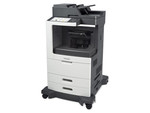
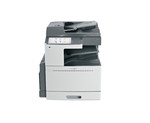
Performance
| Processor frequency |
667 MHz |
| Optional functions |
Fax |
| Maximum duty cycle |
100000 pages per month |
| Email over SSL |
Y |
| Digital sender |
N |
| Security features |
IP Sec, 802.1x, SNMP v3.0, SSL/TL |
| Printing colours |
Black |
| Copying |
Mono copying |
| Printing |
Mono printing |
| Faxing |
N |
| Scanning |
Colour scanning |
| Print technology |
Laser |
| Number of print cartridges |
1 |
Other features
| Network ready |
Y |
| Duplex (double-sided) |
Y |
| Scanner integrated |
Y |
| Networking features |
Gigabit Ethernet |
| Power supply type |
AC |
| All-in-one functions |
Print, Copy, Scan |
Input capacity
| Maximum input capacity |
5090 sheets |
| Auto document feeder (ADF) input capacity |
110 sheets |
| Standard input capacity |
1090 sheets |
| Paper input type |
Paper tray |
| Multi-Purpose tray capacity |
50 sheets |
Printing
| Print speed (black, normal quality, A4/US Letter) |
25 ppm |
| Time to first page (black, normal) |
11 s |
| Secure printing |
Y |
| Warm-up time |
40 s |
Scanning
| Image formats supported |
JPG |
| Scan to |
E-mail, FTP |
| Optical scanning resolution |
600 x 600 DPI |
| Maximum scan area |
297 x 432 mm |
Software
| Mac operating systems supported |
Mac OS X 10.5 Leopard, Mac OS X 10.6 Snow Leopard, Mac OS X 10.7 Lion |
Paper handling
| Non-ISO print media sizes |
Letter, Legal |
| Duplex media weight |
50 - 128 g/m² |
| Multi-Purpose Tray media weight |
60 - 215 g/m² |
| Standard tray media weight |
60 - 215 g/m² |
| Maximum ISO A-series paper size |
A3 |
Storage
| Internal storage capacity |
160 GB |
| Internal memory |
1024 MB |
| Card reader integrated |
N |
Power
| Power consumption (average operating) |
706 W |
| Power consumption (PowerSave) |
89 W |
Output capacity
| Standard output capacity |
500 sheets |
Sound emission
| Copying noise level |
47 dB |
| Noise level (idle) |
20 dB |
Copying
| Time to first copy (black, normal) |
4.2 s |
| Maximum number of copies |
999 copies |
| Maximum copy resolution |
600 x 600 DPI |
| Copier resize |
25 - 400% |
Networking
| Supported network protocols (IPv4) |
HTTP/HTTPS, WSD, IPP, SMB, LPR/LPD |
| Wi-Fi |
N |
Operational conditions
| Operating temperature (T-T) |
50 - 90 °F |
Additionally
| Colour scanning |
Y |
| Ethernet LAN connection |
Y |
| Maximum memory |
2048 MB |
| Wireless technologies |
Wired |
| Scan type |
Flatbed & ADF |
| Color all-in-one functions |
scan |
667 MHz, 1024MB RAM, 160GB HDD, 25ppm, 1200dpi, USB 2.0, Gigabit Ethernet, Grey/Blue
- Copy/print speed: up to 25 / 30 / 35 ppm
- Maximum paper size: 11 x 17 in./A3
- Two-sided output standard
- 110-sheet Duplex Automatic Document Feeder standard
- Finishing options add stapling, hole punching, and booklet making
- Print resolution: up to 1200 x 1200 dpi
- Color scan to email, USB and device folder are standard on MFP configurations
- Advanced security features come standard
- One- or three-line fax options: Digital Fax options also available inc T.38 Fax over IP with MFP configurations
- Xerox Extensible Interface Platform enabled
- 160 GB hard drive standard on all models
- Mac, Windows, Unix, Linux, and Citrix compatible
- Maximum duty cycle of up to 150,000 images per month
- Minimum dimensions (w x d x h): 23.5 x 25.1 x 43.9 in. (597 x 637.5 x 1,115 mm)
- Power requirements: 120 V, 50/60 Hz
Competitive Edge - WorkCentre 5325/5330/5335
- Unparalleled ease of use with a large, 7-inch customisable color touch screen interface that provides easy access to all major functions or even the ability to hide features from users who shouldn't have access to them
- Show me the user interface
- Powerful scan and fax workflows can automatically convert documents into numerous file formats, including text-searchable PDFs for easy retrieval
- Space-saving footprint takes up less office space so you can put the WorkCentre 5300 series anywhere
Productivity Features - WorkCentre 5325/5330/5335
- The large, 7-inch, color, touch-screen interface makes it ultra easy to find and use the functions you need
- Scan to searchable PDF format for universal compatibility and easy archiving, organizing, searching, and sharing
- Avoid printing errors and waste with drivers that apply the right defaults to each individual application you print from
- USB Port (standard with MFP configuration) lets you scan to or print from any standard USB memory device for portability and convenience
- Xerox Global / Mobile Express Print Drivers™ let IT administrators install, upgrade and manage Xerox and non-Xerox devices from a single driver
- Xerox Extensible Interface Platform® (EIP) allows document-related software applications to be accessed on the user interface to improve workflow and minimize time at the device
- Finisher options allow you to customize the WorkCentre 5300 series to meet your office needs
- Fax directly from your desktop with the optional LAN Fax feature to save time and paper
- Program and scan ahead a new job even when the device is busy printing
Security Features - WorkCentre 5325/5330/5335
- Share business-critical information safely with encryption and password-protected PDFs
- Easy ID card solution with Xerox Secure Access Unified ID System® provides quick access to functions that need to be secured or tracked within your current security infrastructure
- Featured Access Control allows you to restrict copy, scan, email, and fax access to the WorkCentre 5300 series by validating network user names and passwords prior to use
- Control costs and access to copy, print, fax and scan functions with Internal Auditron or Xerox Standard Accounting
- Secure Print keeps documents private by holding print jobs in the queue until the user enters the password
- Automatic meter reads are secure and hassle-free with Smart eSolutions (not available in all countries)
Resource-conserving Features - WorkCentre 5325/5330/5335
- Save energy with technologies like LED scanning array, which consumes one-third the power of traditional Xenon lamps
- Xerox's patented EA Toner technology requires a lower fusing temperature than traditional toner, while offering no loss of image quality
- A smaller footprint helps you save valuable office space with a device that's just the right fit
- Standard duplexing (two-sided copying and printing) helps you conserve paper
Software Solutions - WorkCentre 5325/5330/5335
Digitize . . . Organize . . . Distribute . . . Collaborate
With digital documents, you can easily create, search, re-use, and build upon your documents. Maximize your hardware investments with innovative software solutions from Xerox and Xerox Business Partners:
- Contain costs
- Share knowledge
- Accelerate workflow
- Integrate paper and electronic documents
- Manage and distribute documents effectively